


Pinterest is an amazing platform for creative businesses. It’s a place where your work can truly shine and attract your ideal audience. But the thing is, Pinterest isn’t always super intuitive. Sometimes things that seem okay end up hurting your reach in the long run. In my time as a Pinterest manager, I’ve seen many businesses making these common Pinterest mistakes that hold them back from getting the traffic they should be getting. Let’s dive into the mistakes and explore my advice for how you can avoid them to get your content in front of the right eyes.
📌 Pin these ideas for later!
1. Posting Inconsistently
Consistency on Pinterest is so important. I’ve noticed that businesses often pin sporadically, which can lead to lower engagement. The algorithm rewards daily pinning; inconsistent posting can actually hurt your visibility and audience engagement.
📌 MY ADVICE: If you’re able, aim for at least 1 pin per day. You don’t have to go on Pinterest every day to make this happen, though. Use Pinterest’s native scheduler or a tool like Tailwind to help you get it done all at once. For many business owners, 1 pin per day can be manageable.
✅ DO THIS: Spread out your content
❌ NOT THIS: Upload 30 pins at once
As a Pinterest manager, I’m pinning anywhere from 5-15 pins per day for my clients. More pins will get you better results, but most business owners don’t have the time to do that. (That’s the benefit of hiring a Pinterest manager to do it for you!)
2. Neglecting Pinterest SEO
Skipping keywords in your boards and descriptions is one of the most common Pinterest mistakes that limits how often your content is found. Pinterest works like a visual search engine, so SEO (search engine optimization) is crucial. Your board titles, board descriptions, and even your profile name all play a big role in how Pinterest understands your content.
When your boards don’t have clear, keyword-rich titles or descriptions, Pinterest has no idea what your account is about. That means your pins are less likely to show up in searches.
The same goes for skipping keywords in your pin titles or graphics. You might be creating beautiful content, but if Pinterest can’t categorize it properly, it won’t reach the right audience.
📌 MY ADVICE: Start with keyword research. Use the Pinterest search bar to see what phrases your ideal audience is actually typing in, then use those keywords naturally into your pin titles, descriptions, and board details. Each board should be organized around a clear topic or theme, with a descriptive title and a keyword-loaded description.
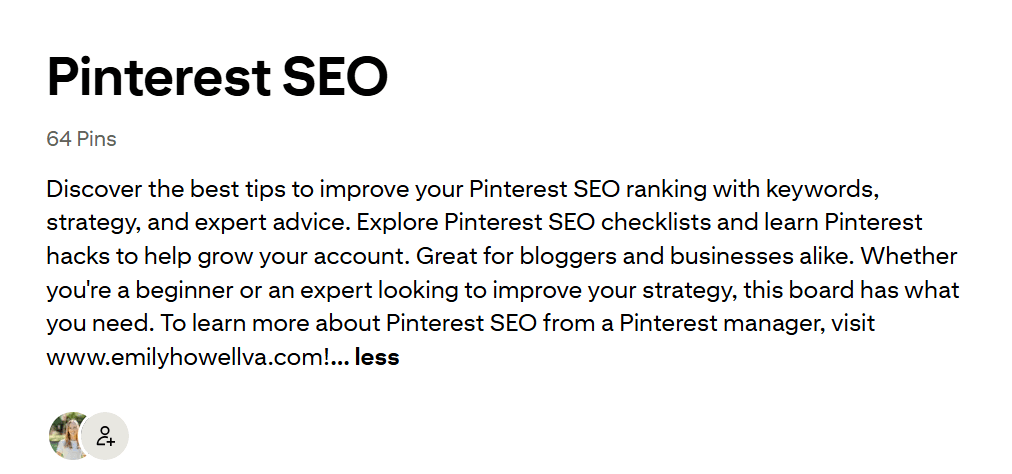
Here you can see an example of one of my Pinterest boards, optimized with keywords in the title and description. Check out my profile to see how I set things up!
3. Ignoring Analytics
A business Pinterest account gives you the tools to understand your performance, but many business owners either skip this step or don’t know what to look for. Ignoring analytics is one of the most common Pinterest mistakes because it just keeps you guessing instead of improving. Without tracking what performs best, you risk wasting your time on pins or topics that don’t actually drive traffic.
📌 MY ADVICE: Check Pinterest Analytics once or twice a month and focus on metrics like impressions, saves, clicks, and engagement rate.
- If a pin gets saves but few clicks, adjust your call to action.
- If impressions are high but engagement is low, adjust your keywords or content.
Don’t worry if growth feels slow in the beginning. Pinterest is all about the long game. Use your analytics to help you make tweaks to refine your strategy over time.

4. Reusing the Same Content
Reusing the same pin over and over on Pinterest isn’t going to cut it. Pinterest’s algorithm loves fresh content (🤖 gotta keep those robots happy…), so it’s important to regularly create both new pins and new blogs.
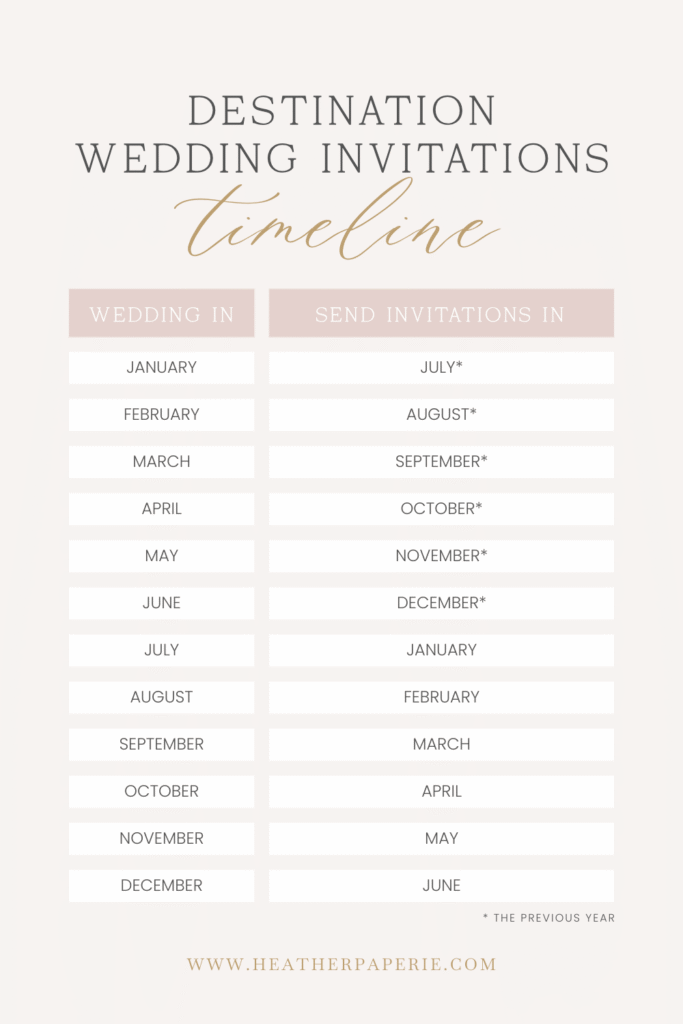
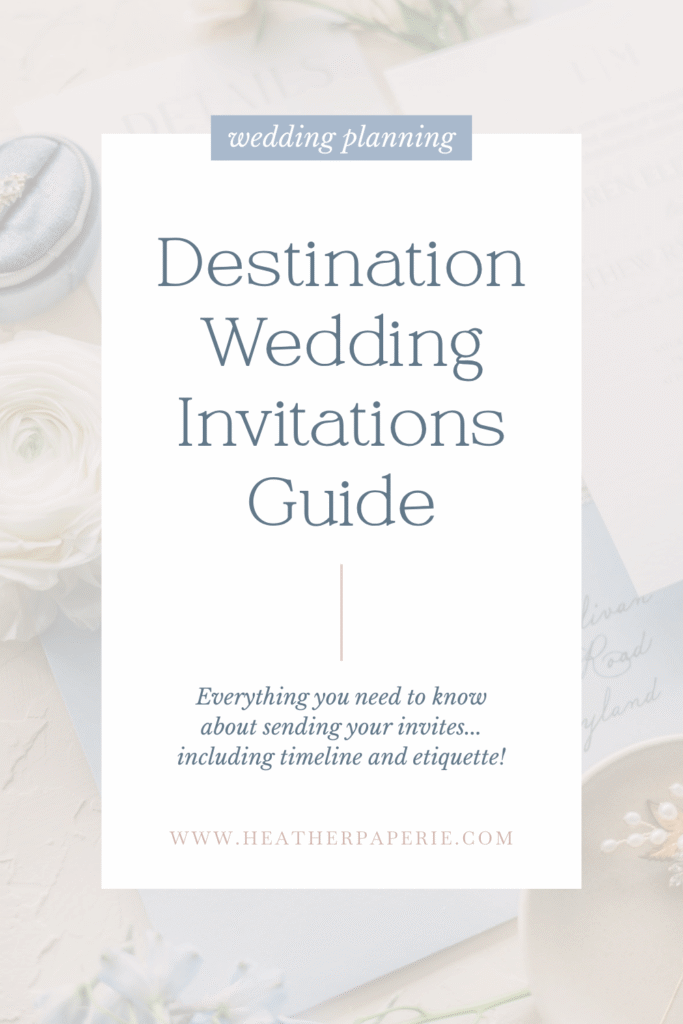
📌 MY ADVICE: Create a variety of pins for each piece of content. Try different designs, overlays, headlines, and formats. Once you see what kind of content does well with your audience, create more pins like that!
These pins are examples of how I pinned one client’s blog post in multiple ways:

In addition, try to write 1-2 new blog posts per month. Make sure they’re valuable blog posts, too. Pinterest users want solutions and inspiration. If your pins get people to your website but your blog posts stink, they’re probably not going to engage with you further. Give them a reason to stick around and explore.
Pssst: I offer blogging services in addition to Pinterest management. Check it out!
5. Pinning to Your Homepage
This last mistake is one I see all the time: businesses linking their pins directly to their homepage instead of linking to a specific blog post or product. It might seem like a good way to drive general traffic, but it’s actually terrible for user experience.
When someone clicks on your pin, they expect to land on the exact content they saw in the image or title. If they’re taken to your homepage instead, they have to dig around to find what they came for. Most people won’t bother digging, and they’ll bounce. ✌️
📌 MY ADVICE: Always link each pin to the specific page it represents. If your pin promotes a blog post, link directly to that blog. If it showcases a product, link to that exact product page. This makes your audience’s experience better, which tells Pinterest that your content is worthwhile.
Improving These Common Pinterest Mistakes
Making Pinterest work for your business takes time, patience, and strategy. If you related to one or more of these mistakes, you’re not alone! I’ve seen so many business owners making these Pinterest mistakes and missing out on traffic as a result.
Pinterest is all about trial and error, so give this advice a try and see how it works for your account!
If this all sounds a bit overwhelming, don’t worry! I’m here to help. As a Pinterest manager, I can guide you through these steps and ensure your work gets in front of the right eyes. Let’s chat and see how we can make Pinterest work for you and your business!
📌 Pin these ideas for later!


+ Show Comments
- Hide Comments
+ add a comment