


If you’ve ever wondered what tools a Pinterest manager actually uses behind the scenes, this post gives you a real look at mine. These are the courses and tools I use regularly while managing client accounts and building Pinterest strategies.
This isn’t meant to be an exhaustive list or a “you need to buy these tools” situation. It’s simply a quick snapshot of what supports my workflow and helps me do my job well as a Pinterest manager. Whether you’re an aspiring Pinterest manager, a business owner who wants to try Pinterest, or just someone who’s checking out my website, welcome! Let’s dive into the essentials.
What does a Pinterest manager even do? Find out here.
Pinterest Marketing Courses
I don’t really remember how I found Amy, but honest to goodness, I would not be the Pinterest manager I am today without her. Amy is the face behind Levee Road Studio, a Pinterest marketing and management business. She’s been a Pinterest manager since 2019 and now helps other bloggers and business owners grow on the platform. Since taking her courses, I’ve also joined her Pinterest Manager Mastermind and am now a Levee Road Studio recommended Pinterest manager. (Look ma, I’m famous! 👇)
The following Levee Road Studio courses are the ones I recommend for VAs and business owners alike who want to dive deep into Pinterest strategy.
*Affiliate disclosure: The links in this section are affiliate links. I receive a small commission when you purchase the courses through these links. I love Amy’s courses so much and only recommend products that I believe are absolutely worth it.
Pinterest Rank Boost 2.0
Pinterest Rank Boost 2.0 does exactly what it sounds like: it helps your content rank faster on Pinterest. What does that mean? Instead of waiting months or years for your pins to ~*magically*~ pop off, Amy gives you strategies to (very nearly) guarantee it. She teaches you about Pinterest SEO in a way that’s totally manageable and not scary at all.
💸: Pinterest Rank Boost 2.0 is under $100 and is a one-time fee.
Scheduling Shortcuts
Scheduling Shortcuts is THE COURSE you need if you want to get into Pinterest marketing. This course teaches you the rules of Pinterest, strategies for how to pin smarter, tips to keep track of everything you’re pinning, and easy-to-understand algorithm explanations. It’s not one of those courses that instantly becomes outdated either. Any time something changes on Pinterest (which is, like, a lot), Amy updates the course. This course is not for the faint of heart; it’s very comprehensive. But, if you want answers, this is the best place to find them.
💸: Scheduling Shortcuts is a few hundred dollars, but that one time payment gets you access to any updates for life.
Organizational Tools
Google Sheets
Google Sheets is my ride or die. I use it every single day and it is my absolute favorite way to stay organized as a Pinterest manager. I make one document for each client and it’s where I house all the information I need: board names and ideas, keyword research, monthly planning, pin dates, etc.
💸: Google Sheets are free for you and me!
Keyword Research Tools
Pin Inspector
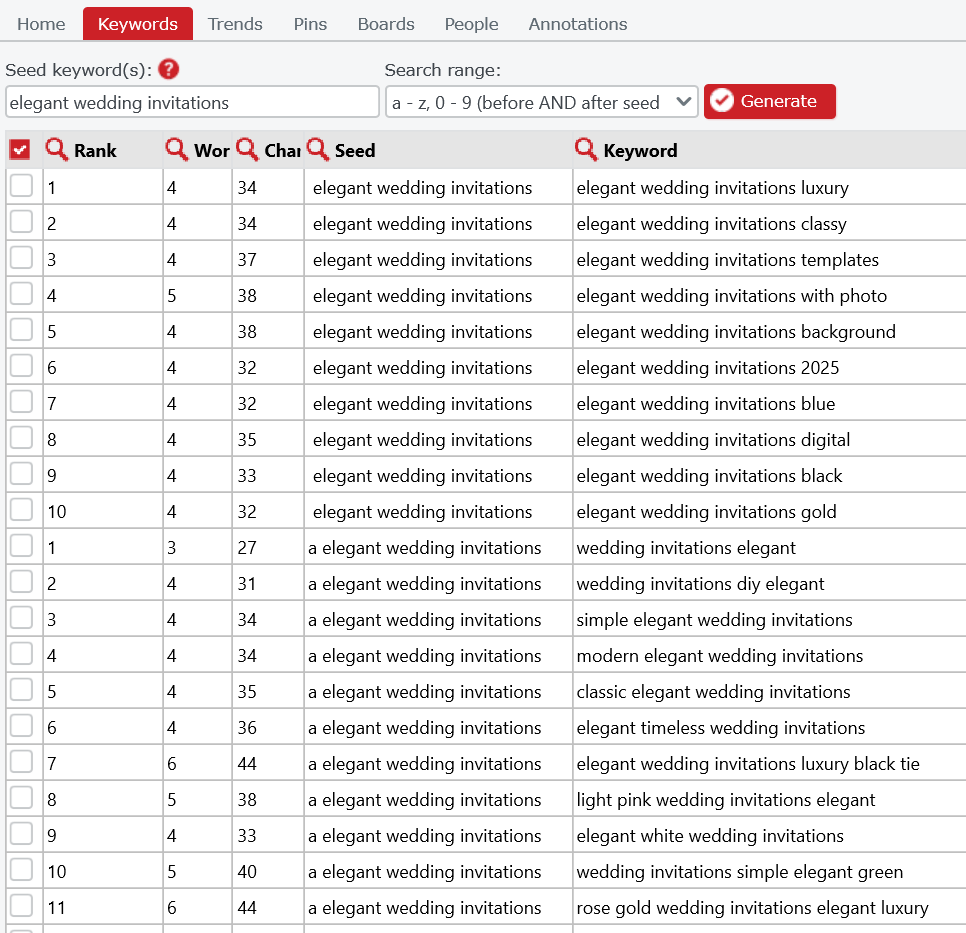
Pin Inspector is desktop software that can summon thousands of keywords at a shot. It’s basically magic. You can go deep down the rabbit hole on Pin Inspector researching specific profiles, boards, keywords, annotations, etc. I often use this program when I’m starting account optimization to research competitor accounts and see what kind of keywords are working for a niche.
💸: Pin Inspector is fairly cheap and is only a one-time fee.
Is this one too obvious? 😅 No but really, I use Pinterest every day for more than just pinning. It is my go-to for keyword research. In order to find out what kind of terms people are searching for, all you have to do is type in the Pinterest search bar. Then, it’ll give you a bunch of suggestions for keywords. I’m constantly using that search bar (along with Pin Inspector) to find the most relevant, high-volume keywords for all my clients.
💸: Pinterest is free!
Ubersuggest
Ubersuggest? But wait…isn’t that for search engines?
You got it! 😉
I snuck this one on the list because, while not directly about to Pinterest, I still use it as a tool for management. Pinterest and blogging are such good BFFs that when I am researching Pinterest keywords, I’m also researching Google keywords. This especially comes in handy when businesses hire me for both Pinterest management and blogging. I’ll make sure a keyword makes sense for both search engines and Pinterest so that you get the most bang for your buck.
💸: You can get Ubersuggest for a one-time fee, but you do have access to a certain amount of free searches per day.
Pin Design & Scheduling Tools
Canva
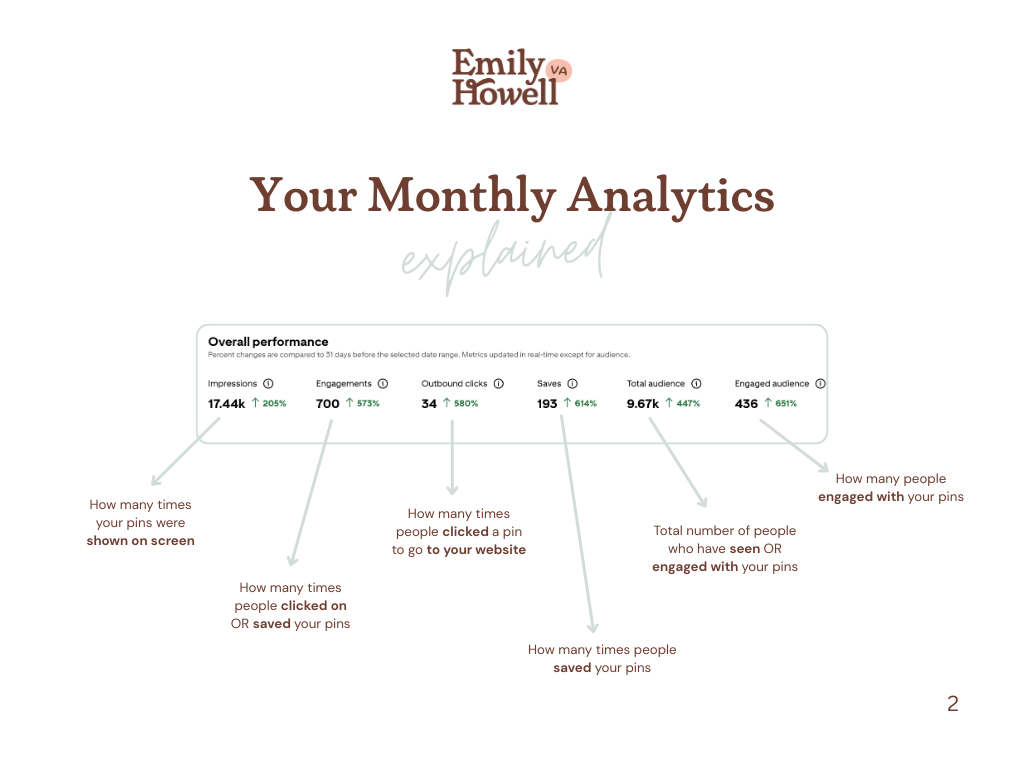
Where would we ever be without Canva? Canva is the only tool I use for design of any kind. It’s so easy to set up all of my clients’ brand kits right in the platform. That way, I never have to go searching for hex codes or logos afterwards. I use Canva to design pins using the 2:3 aspect ratio template. I also use it to design the fun analytics reports I sent out to clients every month.
💸: I use the paid Pro version, but you can access a free version as well.
Tailwind
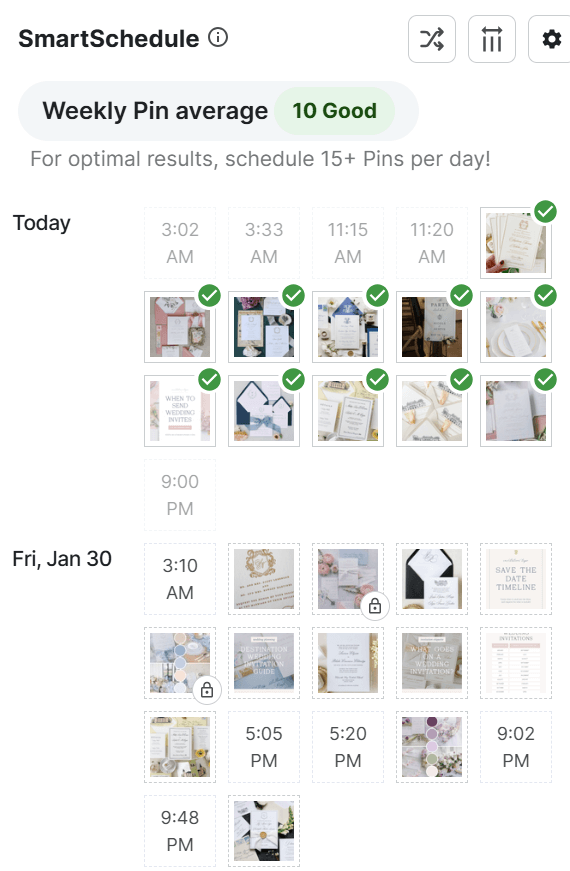
Not all schedulers are created equal in the eyes of Pinterest, but Tailwind is one of Pinterest’s approved schedulers. It’s my preferred method of scheduling, and I request that my clients have a subscription when they work with me. When you schedule directly on Pinterest, you’re limited to 30 days and (at the time of this blog) 100 pins at a time. On the flip side, Tailwind lets you schedule hundreds of pins for months out.
💸: Depending on how many pins you’d like to schedule, there are different pricing tiers. The Pro version is great for just getting started, whereas the Advanced version is best for more aggressive growth.
Final Thoughts on My Tools as a Pinterest Manager
Every Pinterest manager works a little differently, but these are the tools that I come back to day after day. They’re the ones that support how I plan, research, organize, and manage Pinterest accounts on the daily. They’re all part of my workflow, and they’re a huge reason I’m able to stay consistent and efficient with client work.
Curious about how my Pinterest management process works behind the scenes? I’m sharing it all in this post: An Inside Look at My Pinterest Management Process.
Want to hire me as your Pinterest manager? Reach out here!


+ show Comments
- Hide Comments
add a comment